5 Best Free Notion Trading Journal Templates In 2026
Trading without a journal means you're working off memory. You'll remember your last few trades, but you won't see the pattern. The setup you keep losing on, the session that actually pays you, the confluence that's been carrying your win rate for months.
A Notion trading journal gives you one place to log every trade, tag your setups, and let the database surface the patterns instead of you trying to hold everything in your head or in a spreadsheet you stopped updating.
Below are five of the best free Notion trading journal templates available right now, what each one is actually built for, and who should use it.

Why Use a Notion Trading Journal Instead of a Spreadsheet or App
Before the list, here's why Notion specifically works well for this:
- Databases and notes in one place. Log your numbers (entry, exit, R:R, P&L) right alongside your chart screenshots and trade reasoning.
- Free. No monthly subscription like most dedicated journaling apps.
- Customisable. Add your own fields (confluences, sessions, strategy tags) without waiting on a developer.
- Automated views. Filtered databases and rollups show win rate by strategy, symbol, or month without manual formulas.
The tradeoff is that Notion's formula engine has real limits. Things like max consecutive loss streaks or rolling drawdown curves are hard to build natively. If you need that level of depth, you'll eventually want to pair your journal with a spreadsheet backtester.
But for daily trade logging and pattern recognition, these templates cover most traders' needs for free.
1. Advanced Trading Journal (by Trader Thabza)
Link: notion.com/templates/advanced-trading-journal-free
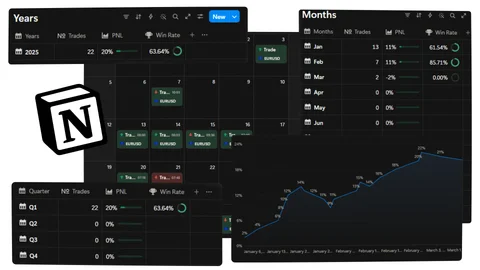
Full disclosure: this is my own template. But it's built to solve the problem most free journals ignore, giving you a clear, automatic breakdown of performance over time without any manual setup.
The journal is designed for traders who want a simple, organised way to track performance, automatically monitoring yearly, quarterly, and monthly trades, win rate, and P&L, without subscriptions or complicated setup.
Best for: Traders who want their performance broken down by time period automatically, without wrestling with formulas.
Why it stands out: Most free journals give you a single trade log and leave the analysis to you. This one is structured so the yearly, quarterly, and monthly view is already built in. You log the trade, and the reporting layer handles the rest.
If you want to go deeper (advanced analytics, AI integration, prop firm tracking, and built-in charts) the premium version is the Trader's Ultimate Brain. But the free template gives you a solid foundation that most traders won't outgrow quickly.
Want the Full System?
Get the complete Trader's Ultimate Brain with advanced analytics, AI integration, prop firm tracking, and lifetime updates.
2. Advanced Trading Workspace (by Ahmed Omaar)
Link: notion.com/templates/advanced-trading-workspace
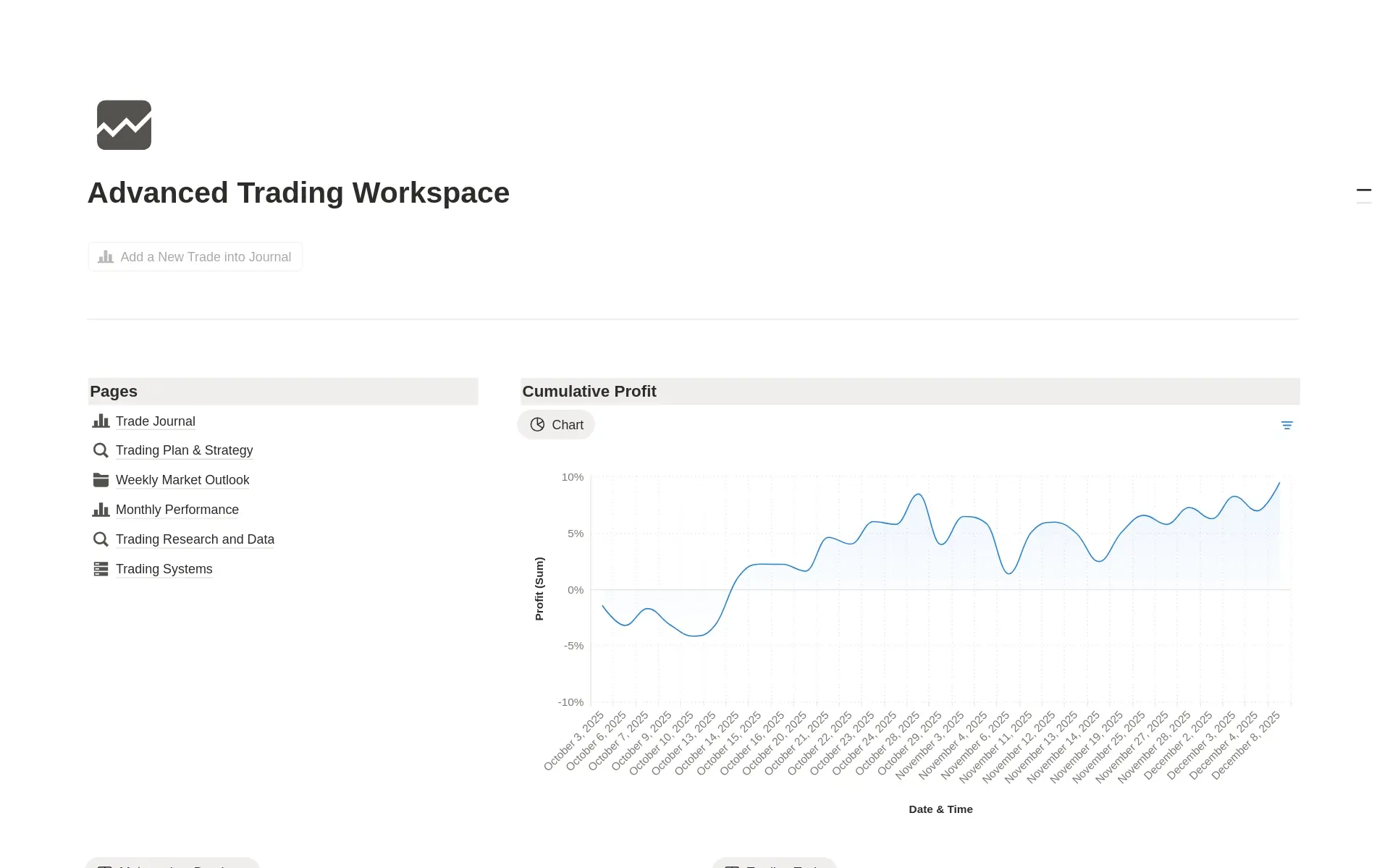
This one leans more into being a full workspace than a single log. It's built for keeping track of trades, ideas, and notes, giving you a place to reflect on your performance. As you get more experienced, the automated dashboards help you determine what worked and what didn't.
Best for: Traders who want a space for trade ideas and journaling to live together, not just closed-trade records.
Why it stands out: The ideas, notes, and reflection angle makes it useful before you even enter a trade. You can log your thesis first, then circle back and grade yourself against it after the trade closes. With 19+ ratings and a 4.45 average it's been tested by a real trading audience.
Link: notion.com/templates/free-trading-journal
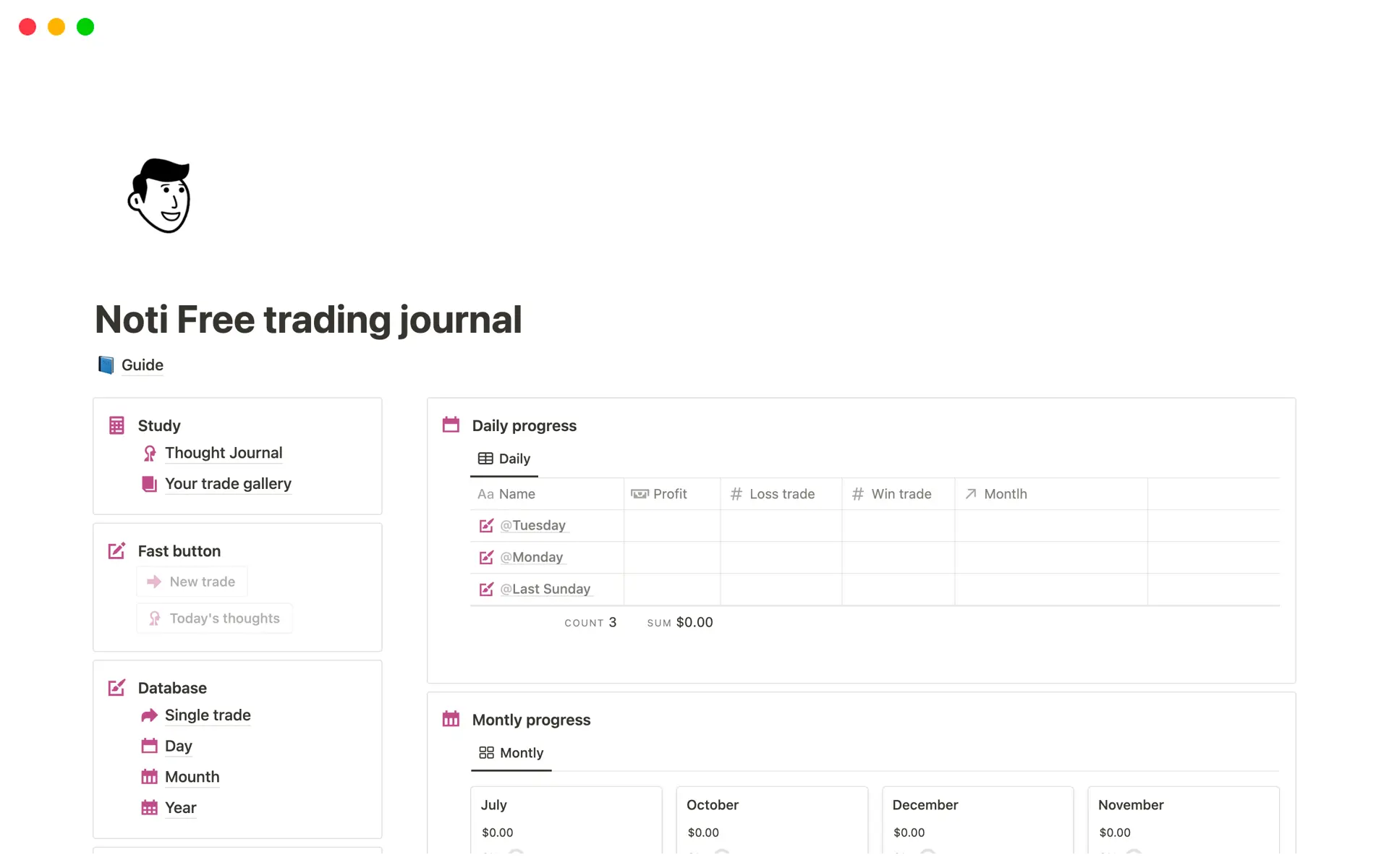
This is the most popular pick on this list by review volume. Over 100 ratings at a 4.85 average, which is hard to ignore. It's a straightforward, no-frills trading journal without extra bells and whistles.
Best for: Traders who want the most battle-tested free option and don't need a heavily automated setup.
Why it stands out: One reviewer put it clearly: it's good for traders comfortable doing things "a little manual" rather than expecting full automation. If you want proof of concept before committing to a heavier system, this is the safe first template to try.
Link: notion.com/templates/trading-automatic-journal
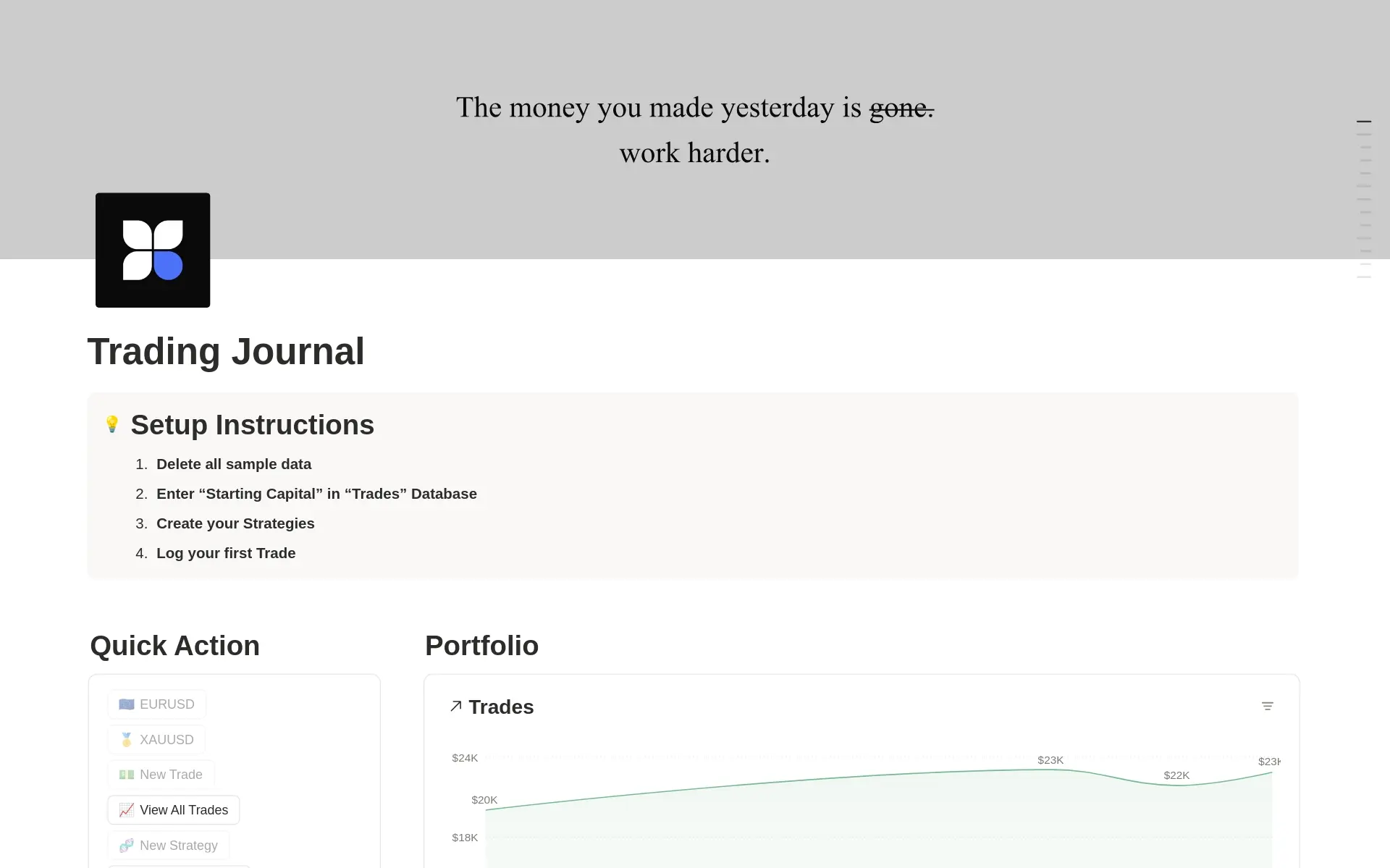
A professional trading journal with automated P&L tracking, strategy management, and performance analytics.
Best for: Traders running multiple strategies who want to compare performance strategy-by-strategy rather than looking at overall stats alone.
Why it stands out: The strategy management layer is the differentiator here. If you trade more than one system (say, a liquidity sweep strategy and a separate breakout strategy) this template is built to let you separate and compare them rather than lumping every trade into one pot. Knowing which strategy is actually paying you changes how you allocate your time and screen time.
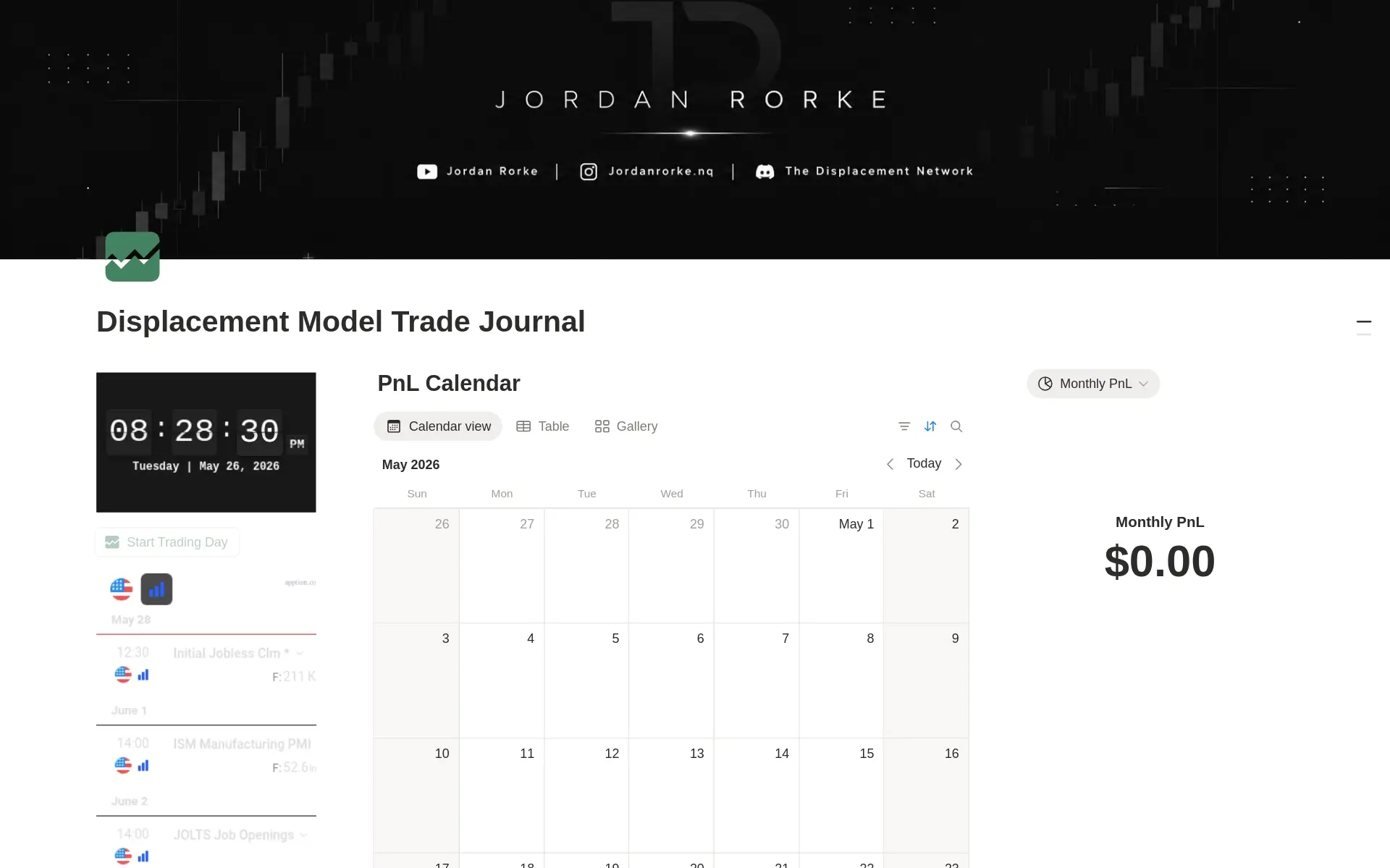
Link: notion.com/templates/dm-trade-journal
If the others feel like too much, this is the antidote. A clean and minimalist trading journal designed to help you stay organised, track your executions, review mistakes, and build consistency over time. Built for serious traders with a focus on simplicity and clarity.
Best for: Traders who find complex dashboards distracting and want something they'll actually keep using every day.
Why it stands out: The biggest reason journals fail isn't a lack of features. It's abandonment. A minimalist template like this removes friction, which matters more than automation if you struggle with consistency. A simple journal you fill in every day beats a sophisticated one you open once a week.
| Template | Creator | Best For |
|---|---|---|
| Advanced Trading Journal | Trader Thabza | Automatic yearly/quarterly/monthly performance breakdown |
| Advanced Trading Workspace | Ahmed Omaar | Combining trade ideas, notes, and journaling |
| Trading Journal | Noti Trader | Most-reviewed, simple and proven |
| Trading Journal – Track & Analyse | PeterBehlMedia | Managing and comparing multiple strategies |
| DM Trade Journal | Jordan Rorke | Minimalist, distraction-free daily logging |
How to Pick the Right One
Ask yourself one question: what's actually stopping me from journaling consistently right now?
- "I don't trust my own math on win rate and P&L" → go with the Advanced Trading Journal.
- "I have trade ideas but nowhere to develop them before entering" → go with the Advanced Trading Workspace.
- "I just want something simple that other traders vouch for" → go with Noti Trader's Trading Journal.
- "I trade multiple strategies and can't tell which one is actually working" → go with the PeterBehlMedia template.
- "Every journal I've tried feels like admin work" → go with the DM Trade Journal.
Final Thoughts
None of these templates will make you profitable on their own. A journal only works if you're honest in it.
But the traders who review their data consistently are the ones who actually find their edge. Patterns that are invisible trade-by-trade become obvious once you can see fifty of them laid out side by side.
Pick the one that matches how you actually think, not the one with the most features. You're far more likely to stick with a simple system you use every day than a complex one you open twice and abandon.
If you want to see how the Advanced Trading Journal works under the hood, I've written a full breakdown here: How to Build an Advanced Notion Trading Journal.
FAQs
Yes. Every template on this list is available for free through the Notion template gallery. Notion's free plan is all you need to duplicate and use them. No subscription required.
Yes. Notion journals aren't limited to Forex. You can track any market (Crypto, Stocks, Indices, Futures) by customising the Symbols database to match your instruments.
Dedicated apps charge monthly subscriptions. Notion is free, fully customisable, and lets you combine your trade log with notes, screenshots, and strategy documentation in one place. The tradeoff is that deep analytics like rolling drawdown curves require a spreadsheet alongside it.
Noti Trader's Trading Journal is the most battle-tested free option with over 100 reviews and a 4.85 average. It's straightforward and proven. If you want automatic performance breakdowns from day one, the Advanced Trading Journal by Trader Thabza is built specifically for that.
No. All five templates on this list are built to work on Notion's free plan. You don't need Plus or any paid tier to duplicate or use them.